Features
Give your team access to the files, memory, and connected tools they need to research questions, draft documents, and plan their work.
Fieldwork Goods plans its next campaign.
 Your company brain
Use connected files and team messages to plan the promotion.
Connection availability and permissions vary by workspace. Connecting an account does not automatically import everything or share private data with your team. Check your tools with us.
@Sinora, can we promote the canvas tote next week without running out?
Conversations require an administrator-enabled Slack app. A personal Slack connection separately allows actions on your behalf. Channel access and permissions still apply.
Compare the latest sales, ad spend, and stock reports.
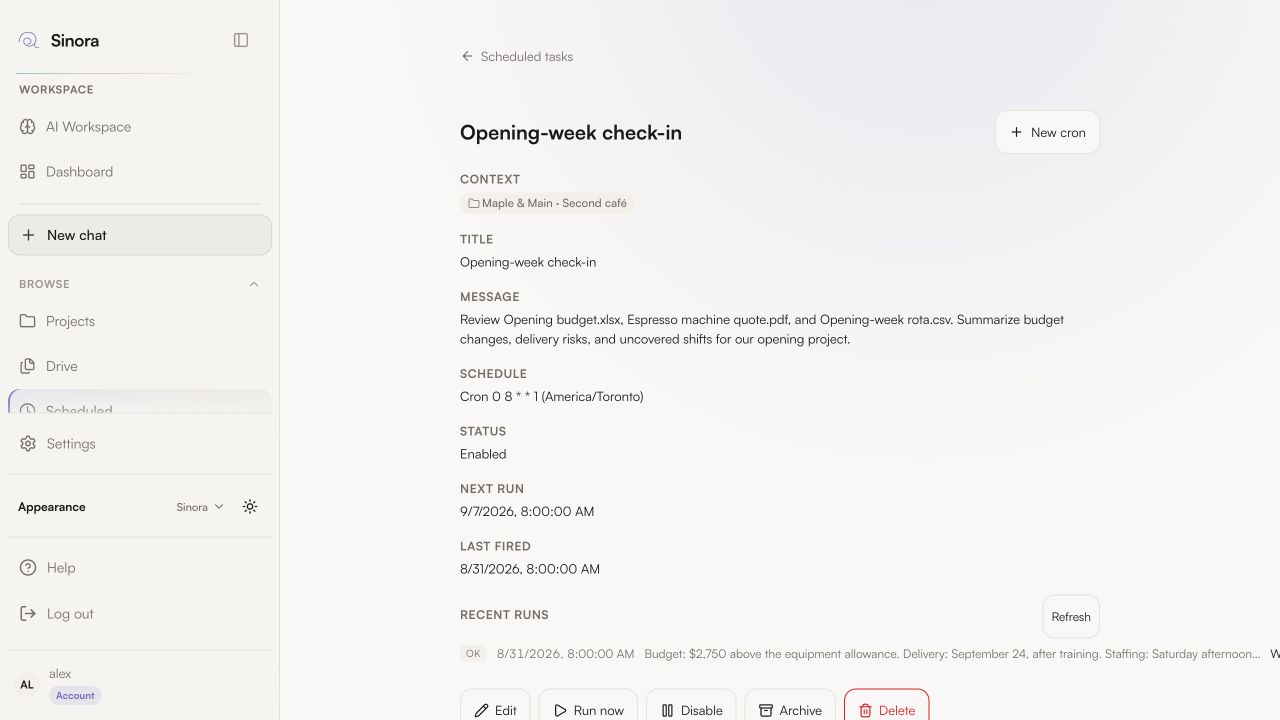
Edit or pause a task, and review its run history in Scheduled. Tasks use the files, tools, and permissions available at run time.
Inside the workspace
Organize company knowledge, work through decisions, and keep the results in the same project.
Set project access so teammates have the files, memory, and context to make informed decisions.
Research a question or draft a document with your company context.
Build a tracker or dashboard around the way your team works.
Keep source documents and finished work within reach.
Use saved facts and decisions in future conversations without sharing every private conversation across the company.
Schedule research and summaries with your connected tools.
From context to output
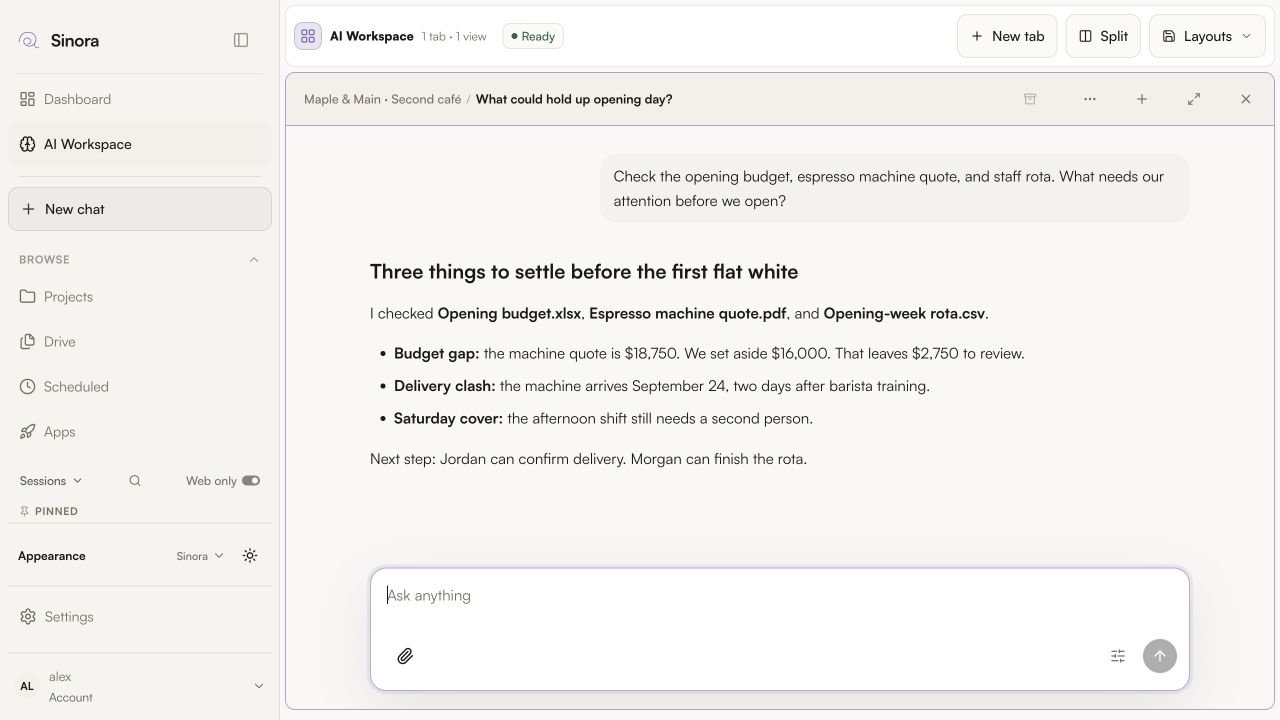
Ask Sinora to compare the budget, delivery dates, and staffing plan before you commit to an opening date.
Scheduled, not forgotten
Set a recurring task to check project files and prepare a summary at the time you choose.
Ready when you are
Add its files and invite the people who need to review the next decision.
See plans